In today’s digital-first workplace, organizations rely heavily on Microsoft 365 (M365) and SharePoint to manage documents, collaborate, and ensure compliance. However, managing policies across distributed teams and systems can quickly become complex. This is where policy management software plays a critical role.
In this blog, we will explore what policy management is, how the process works, key features and benefits, and why solutions like Titan Workspace are emerging as a powerful choice for organizations looking to streamline compliance directly within Microsoft 365.
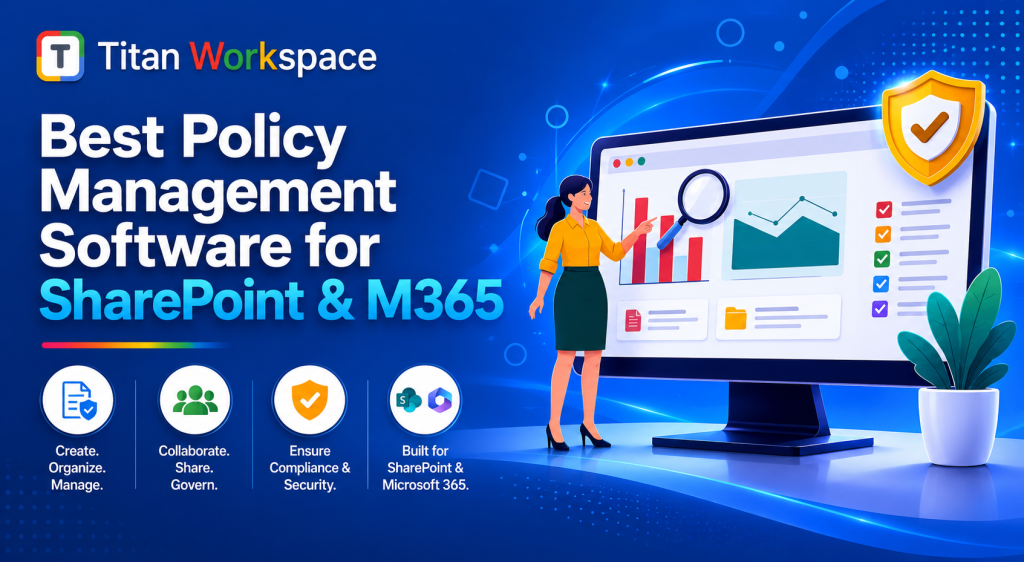
Policy management refers to the structured process of creating, reviewing, distributing, and tracking organizational policies. These policies may include HR guidelines, IT security policies, compliance mandates, operational procedures, and industry-specific regulations.
Effective policy management ensures that:
- Employees have access to up-to-date policies
- Policies are consistently applied across departments
- Organizations meet regulatory and compliance requirements
Traditional policy management methods often rely on emails, shared folders, or manual tracking leading to inefficiencies and risks. Modern organizations need a centralized, automated solution—especially within platforms like SharePoint and Microsoft 365.
Policy Management Process and Compliance
A robust policy management process typically includes the following stages:
1. Policy Creation
Policies are drafted by relevant stakeholders and aligned with organizational goals and compliance standards.
2. Review and Approval
Policies go through defined workflows for approvals involving legal, compliance, and management teams.
3. Publishing and Distribution
Approved policies are published to employees through a centralized platform such as SharePoint.
4. Acknowledgement Tracking
Employees are required to review and acknowledge policies, ensuring accountability.
5. Version Control
Updates are managed through version history to maintain transparency and audit readiness.
6. Monitoring and Reporting
Organizations track compliance metrics, such as who has read or accepted policies.
Compliance Importance
With increasing regulatory requirements (like GDPR, ISO standards, etc.), policy management is critical to:
- Avoid legal risks and penalties
- Maintain audit trails
- Demonstrate compliance during inspections
A well-integrated solution within M365 ensures all these steps happen seamlessly and transparently.
Key Features of Policy Management Software
When choosing the best policy management software for SharePoint and M365, organizations should look for the following key features:
✅ Centralized Policy Repository
All policies are stored in one secure location within SharePoint, ensuring easy access and consistency.
✅ Automated Workflows
Approval workflows automate policy lifecycle management—saving time and reducing errors.
✅ Version Control & Audit Trails
Track changes and maintain historical versions to ensure accountability and compliance.
✅ Acknowledgement Tracking
Track which employees have read and accepted policies with automated reminders.
✅ Role-Based Access Control
Ensure that only authorized users can view or edit sensitive policy documents.
✅ Integration with Microsoft 365
Native integration with tools like Teams, Outlook, and SharePoint enhances usability.
✅ Reports & Analytics
Generate insights into compliance status, overdue acknowledgements, and engagement levels.
Solutions like Titan Workspace excel in delivering these features natively within Microsoft 365, making adoption easier and more seamless.
Key Benefits of Policy Management Software
Implementing policy management software offers numerous benefits for organizations:
🔹 Improved Compliance
Automated tracking and reporting ensure organizations remain compliant with regulations.
🔹 Increased Efficiency
Eliminates manual processes, reducing administrative workload and errors.
🔹 Enhanced Employee Awareness
Employees can easily access policies and stay informed about updates.
🔹 Better Risk Management
Ensures policies are followed consistently, reducing operational and legal risks.
🔹 Audit Readiness
Maintains clear documentation and audit trails for regulators and auditors.
🔹 Scalability
Supports growing organizations by handling increasing volumes of policies and users.
When implemented effectively, platforms like Titan Workspace can transform policy management into a strategic advantage rather than a compliance burden.
Is Policy Manager a Fit for Your Organization?
Not every organization has the same requirements, so evaluating whether a policy management solution fits your needs is essential.
Consider Policy Management Software if:
- You manage a large number of policies across departments
- Compliance requirements are strict or regularly audited
- Employees struggle to find or follow updated policies
- Manual processes are causing inefficiencies
- You want better visibility into policy compliance
Ideal for:
- Enterprises using Microsoft 365 heavily
- Compliance-driven industries (Finance, Healthcare, Legal, Government)
- Organizations with remote or distributed teams
If your organization already relies on SharePoint and M365, adopting a native solution like Titan Workspace reduces complexity and eliminates the need for third-party integrations.
Natively Built on Microsoft 365
One of the most critical aspects of modern policy management solutions is native integration with Microsoft 365.
A solution built directly within M365 offers:
✔ Seamless User Experience
Employees work within familiar tools like SharePoint, Teams, and Outlook—no need for additional training.
✔ Enhanced Security
Leverages Microsoft’s built-in security and compliance framework.
✔ Faster Deployment
No complex installations or integrations required.
✔ Unified Data Environment
Policies are stored and managed within your existing M365 ecosystem.
✔ Lower Total Cost of Ownership
Reduces costs associated with maintaining separate systems.
Titan Workspace, for instance, is designed to work natively within Microsoft 365, enabling organizations to manage policies directly where their users already collaborate.
Why Choose Titan Workspace?
As organizations look for smarter ways to manage policies, Titan Workspace stands out as a powerful, user-friendly solution.
Key Advantages:
- Fully integrated with SharePoint and Microsoft 365
- Easy-to-use interface with minimal learning curve
- Automated workflows for policy lifecycle management
- Robust reporting and compliance tracking
- Scalable for organizations of all sizes
By using Titan Workspace, businesses can move away from fragmented processes and adopt a centralized, efficient approach to policy management.
Watch the Demo — Modernize Your Policy, SOP & Audit Management with Microsoft 365