Our No-code workflow automation tool eliminates email-based approval processes. Titan Workspace minimizes approval cycle time, reduces training and software development costs by 60%. Build custom forms and workflows using SharePoint and Power Automate. Eliminate your Power Apps subscription cost with Titan Workspace.


This blog explains why keeping your forms and workflows inside Microsoft 365 delivers unmatched security, compliance, and cost efficiency. It compares Titan Workspace with external workflow platforms, highlighting the strategic benefits of a unified Microsoft environment. Designed to educate decision-makers seeking secure, compliant, and scalable workflow automation solutions.
Read MoreIntuitive Interface
Intuitive interface empowers business users to create unique workflows without IT intervention. Just select options and automate workflow with a few clicks for efficient and transparent workflow. In-built flexibility enables to create and iterate processes easily.
Eliminate Manual Coding
Design unique workflows to suit organizational requirements without learning coding. Get started quickly and easily without long development cycles. Create and automate workflows within an hour.
Simplify Complex Workflows
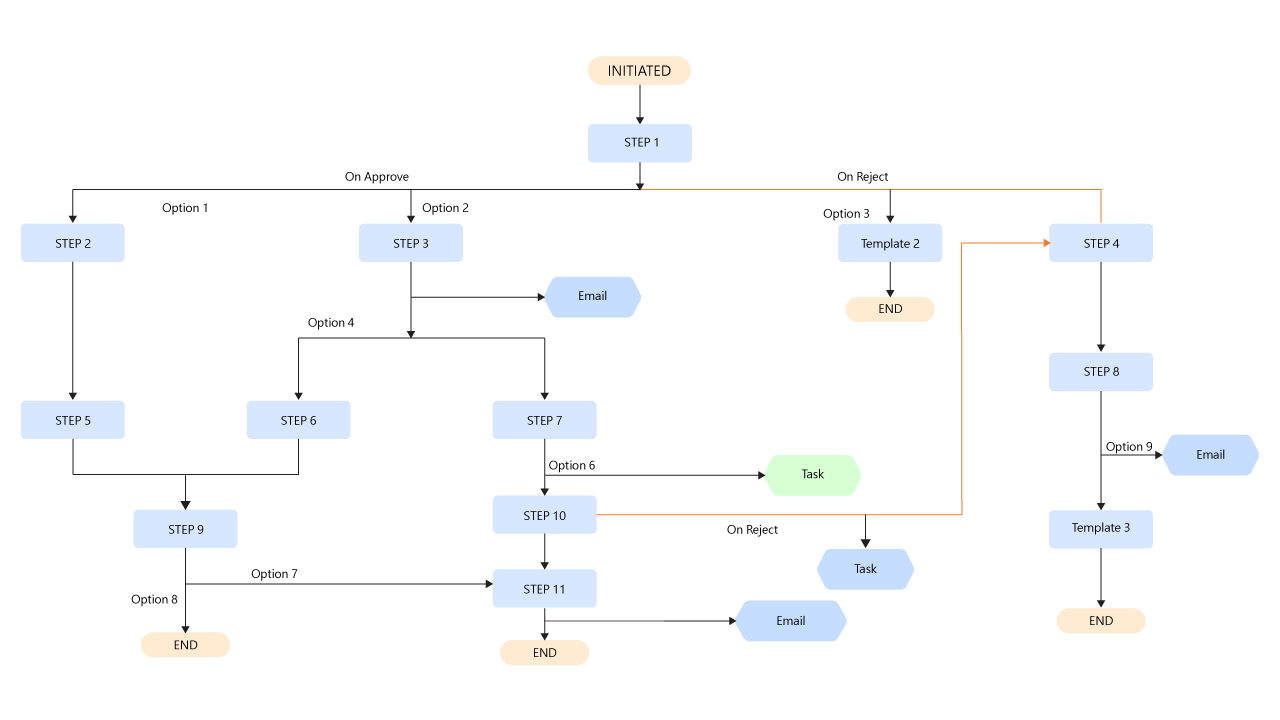
Take advantage of a feature-rich tool to design best-in-class integrated workflows with as many steps needed to complete a task. You can easily create forms and templates; provision multi-level approvals; create dynamic rules and calculations; and track and monitor approval history.
Full Control of Data & Security
Deployed on customer M365 tenant directly, the solution leverages SharePoint, Power Platform, Azure Active Directory, M365 Services, Microsoft Teams. It allows customer full control of data and security.
Versatile Platform
Combining years of experience and in-depth understanding of customer requirements across verticals, the platform incorporates best-in-class features to design complex workflows in any department across industries.
More organizations are automating their internal processes to achieve higher productivity, efficiency and transparency. Power Apps as Low-Code/No-Code is one of the options that has significant cost as a service. Building a complex workflow and dynamic form using Power Apps is no longer a simple Low-Code/No-Code use case. It needs custom development services to achieve these complexities.
Titan Workspace is designed to work with SharePoint and Power Automate for delivering any level of complexity without any coding or custom development. Titan Workspace offers a user friendly dashboard for managing approvals.
| Features | Power Apps + Power Automate | TITAN + Power Automate |
|---|---|---|
| Creating dynamic forms | Coding Required | No Code |
| Building dynamic flows | Coding Required | No Code |
| Applying validation on forms | Coding Required | No Code |
| Responsive design for desktop | Coding Required | No Code |
| Role based access and workflow rules | Coding Required | No Code |
| Power App licences | Needed | Not Required |
| Free e-sign/Integration with Adobe for e-sign and pdf generation | Not Available | Available (No Code) |
| Integrated dashboard for all processes | Not Available (Power Apps need all apps to be developed within the same application) | Available (No Code) |
Titan’s automation layer is built as a native solution on SharePoint / Microsoft 365, offering pre-packaged, business-domain workflows that reduce the need to design flows from scratch. While Power Automate gives you low code building blocks, Titan simplifies, governs, and encapsulates common automations so non-tech teams can deploy with less overhead and risk.
Instead of exposing all connectors, expressions, and branching options, Titan offers a curated set of automation templates and UI wrappers over Power Automate logic. That means users can deploy workflows (e.g. approvals, notifications, data syncs) via configuration rather than writing full flows. Titan essentially reduces the cognitive load and error risk while still leveraging Power Automate under the covers.
Yes — Titan workflows can trigger, interact with, or drive Power Apps forms embedded in SharePoint or Teams. This allows you to build dynamic forms and UI experiences and then wire them into Titan’s workflow engine (e.g. on submission → approval → updates).
Titan’s automation is built for native Microsoft 365 business scenarios (forms, approvals, lists, documents) and is deeply integrated with data, security, and compliance in your tenant. UI Path is more suited for heavy desktop-level automation and cross-application RPA. Titan avoids leaving the Microsoft trust boundary, supports better native governance, and is lighter for intranet/business process cases.
Yes — Titan is designed to operate within the Microsoft 365 security and compliance boundaries, including GCC. Because Titan runs as a native M365 solution (not external), it inherits data residency, compliance, and control features of your GCC tenancy. Using Titan doesn’t require moving data outside the Microsoft trust boundary.
Titan workflows, data, and logic all remain within your Microsoft 365 tenant and metadata boundaries. This ensures data does not traverse external systems unnecessarily, you maintain control over storage location (with Microsoft’s Advanced Data Residency options), and compliance risk is reduced compared to outsourcing critical automation to third-party platforms.
Titan’s workflows are built with reuse, standardized logic, and governance in mind. Rather than having many disjointed flows, Titan centralizes common patterns (e.g. approvals, reminders, escalations) so you scale by configuring rather than rebuilding. That reduces fragility, duplication, and maintenance burden over time.
Yes. Titan workflows support conditional branching, parallel or sequential approval stages, escalation logic, reminders, and exception handling. Where logic becomes very complex, Titan may integrate with underlying Power Automate flows or Azure Functions, but most business workflows can be handled declaratively within Titan.
Titan includes built-in dashboards, logs, and audit trails for workflow runs, errors, and history. You don’t need to dig into Power Automate run histories; Titan surfaces status, pending tasks, failures, and bottlenecks within its UI. This helps governance and operations teams track automation health.
Because Titan comes with pre-designed workflow modules and templates, deployment is much faster than architecting automation from scratch. Your team primarily does configuration (e.g. routes, conditions, roles) and integration with your data sources, rather than building flows from zero. That means weeks, not months, in many cases.
Titan Workspace delivers Business Process Automation as a Service (BPaaS) for Microsoft 365 customers. Instead of buying a one-time product, organizations subscribe to Titan, which includes access to the drag-and-drop e-form and workflow builder, ongoing configuration assistance, and continuous updates. During the active subscription, Titan provides full support — from helping you design and configure new business processes, to maintaining existing workflows, troubleshooting issues, and ensuring compliance with Microsoft 365 and GCC standards. This subscription-based automation service ensures your workflows evolve with your business needs, without additional costs or heavy IT overhead.
Yes. Titan Workspace integrates with SAP to streamline multi-step approvals, such as purchase requests, expense claims, or vendor management, directly within Microsoft 365. Using Titan’s drag-and-drop e-form and workflow designer, organizations can trigger and capture approval data in SharePoint and pass results back to SAP without the need for expensive custom development or heavy RPA tools. This approach delivers low-cost, flexible SAP workflow automation while keeping data inside your Microsoft 365 tenant, ensuring security, compliance, and faster deployment.
Learn more about
Titan workspace workflows
Get in Touch