November 2026 | By Titan Workspace
Imagine a supplier your engineering team worked with last year. You gave them access to a SharePoint folder so they could download drawings and collaborate on a project. The project finished months ago, but their guest account is still active, and so is their access to the folder.
Nobody has thought about it since.
Now consider what happens when AI makes organisational information easier to discover.
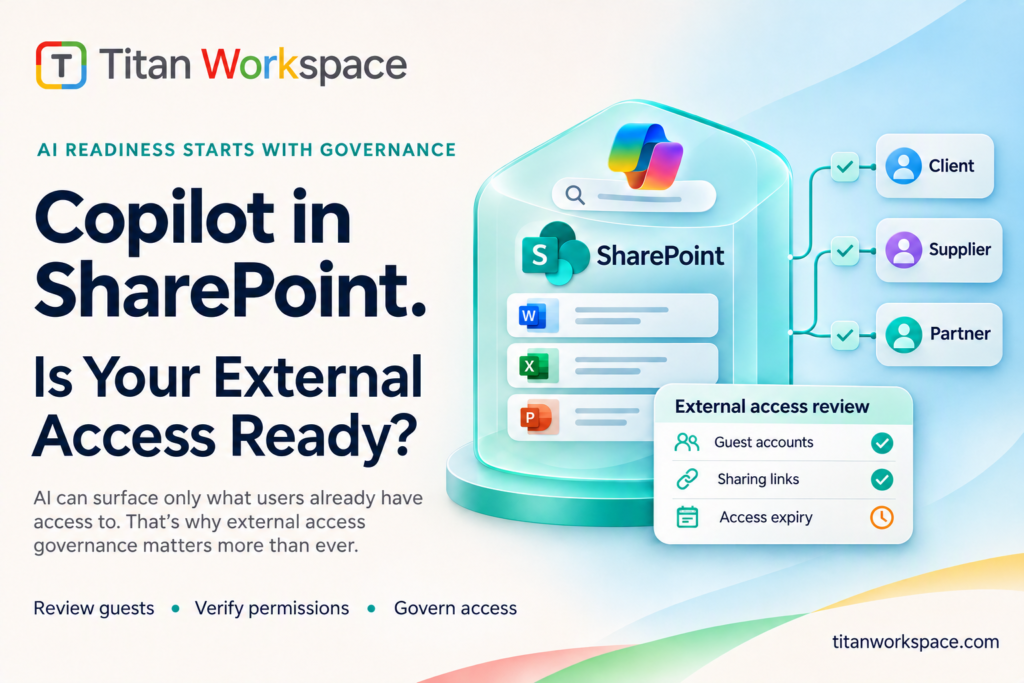
Microsoft Copilot in SharePoint is becoming a standard experience for users with the appropriate Copilot licence. It works within existing permissions, meaning it does not independently grant people access to files. But it can make information that users are already permitted to access considerably easier to find.
That changes the importance of something many organisations have postponed for years: reviewing who has access to their SharePoint information, particularly external clients, suppliers and partners.
This article explains what has changed, why external access deserves attention, and six practical steps organisations can take to strengthen their SharePoint environment.
What happened: Three changes that matter for SharePoint
Microsoft’s Copilot in SharePoint rollout has introduced important changes to how organisations manage AI-powered content discovery.
| Date |
Microsoft change |
What it means for organisations |
| 30 September 2026 |
General availability rollout of Copilot in SharePoint began |
Availability is being introduced progressively; check your tenant’s deployment status |
| 1 November 2026 |
Previous preview PowerShell exclusion controls reached the end of their transition period |
Administrators should use the currently supported availability and governance controls |
Microsoft’s documentation identifies 30 September 2026 as the start of the general availability rollout. This is not confirmation that every tenant received the feature simultaneously. Check the Microsoft 365 Message Center and your tenant configuration for the status that applies to your organisation. Microsoft’s documentation also describes the retirement of the preview PowerShell controls, with existing settings honoured until 1 November 2026. Read Microsoft’s Copilot in SharePoint guidance.
Site AI settings provide site-level controls for aspects of the Copilot experience. They should not be treated as a single tenant-wide switch for turning Copilot across SharePoint on or off.
Restricted Content Discovery (RCD) is a separate discoverability control. It can limit selected SharePoint sites from appearing in organisation-wide search and Copilot discovery experiences while their content is reviewed, and it removes certain AI-powered entry points from those sites. RCD does not change permissions or remove content from the search index. People who already have permission can continue to access the content directly, and some site-context and other Microsoft 365 experiences are not affected. Changes can also take time to propagate. RCD is a temporary governance measure, not an access-remediation tool. See Microsoft’s RCD guidance.
Where an organisation needs to restrict who can actually open a SharePoint site, it should assess Restricted Access Control (RAC). RAC limits site access to members of designated Microsoft 365 or Microsoft Entra security groups, even where other permissions or sharing links may previously have granted access. RCD and RAC therefore address different needs: RCD limits discovery; RAC restricts access. Neither removes the need to review and correct permissions and sharing arrangements. See Microsoft’s Restricted Access Control guidance.
Why this matters: Copilot follows permissions, not assumptions
Microsoft’s security model is clear: Copilot respects the permissions of the individual using it.
It does not automatically give employees or external users access to documents they could not previously open.
The concern is what happens when existing permissions are broader than intended.
Think about how SharePoint access accumulates over time:
- A supplier receives access to a project folder.
- A client is given access to a collection of documents.
- A contractor receives permissions for a temporary assignment.
- A sharing link is forwarded to someone else.
- The project ends, but the access is never reviewed.
These decisions may have been perfectly reasonable when they were made. The problem is that they are often not revisited.
With AI-powered discovery, information that was already accessible can become easier to locate and bring into the context of a user’s questions.
External access deserves particular attention because organisations frequently collaborate with people outside their own workforce.
One further change makes this review particularly timely. Microsoft enabled SharePoint and OneDrive integration with Microsoft Entra B2B for new external sharing in commercial tenants between May and July 2026. Microsoft also began retiring SharePoint’s own one-time passcode authentication for commercial tenants in October 2026. As that retirement reaches a tenant, external users accessing previously shared Specific people links may need a matching Microsoft Entra B2B guest account to retain access. Organisations should check Microsoft’s rollout status, identify affected external collaborators and plan any required guest-account remediation. Read Microsoft’s Entra B2B integration and SharePoint OTP guidance.
Two areas are worth reviewing:
- Who can invite external users?
Microsoft Entra ID provides settings that allow organisations to control who can invite guest users. Under the most permissive default configuration, all users, including existing guests, can invite external users.
Organisations should decide whether that level of flexibility is appropriate for their security and governance requirements.
- How long does external access remain active?
Guest expiry is not governed by one universal setting. SharePoint and OneDrive support external-sharing and guest-expiration controls, while Microsoft Entra B2B collaboration has its own guest-access and lifecycle settings. The applicable behaviour depends in part on how external sharing is configured in the tenant. For example, when SharePoint and OneDrive are integrated with Azure B2B collaboration, the Entra guest-access settings take precedence over the corresponding SharePoint guest-expiration setting.
Organisations should confirm which sharing model is in use, review the effective settings in both SharePoint and Entra where relevant, and test how expiry affects their external users and sharing links. An expiry policy is useful, but it is not a substitute for an owner, periodic access reviews and a reliable offboarding process.
Without that consistent process, access granted for a temporary project may remain usable longer than the business relationship requires. The result can be a growing collection of external users, permissions and sharing links that nobody has a complete picture of.
How widespread is the concern?
The challenge is not hypothetical.
CoreView’s 2026 State of Microsoft 365 Security Report surveyed 279 IT, security, infrastructure and compliance leaders at organisations with more than 1,000 employees. It found that 66% of organisations had delayed or cancelled a Microsoft Copilot deployment because of concerns about the data it could surface through SharePoint. Read CoreView’s report and findings.
The research highlights a wider issue: organisations are recognising that AI readiness depends on the quality of their existing Microsoft 365 governance.
The concern is not necessarily that Copilot is insecure. It is that existing permissions, sharing arrangements and information-management practices may not be ready for broader AI-powered discovery.
That makes reviewing external access an important part of any Copilot readiness exercise.
What to do this week: A six-step external access check
You do not necessarily need another security platform to begin reviewing your external access arrangements. Microsoft already provides several controls that organisations can use.
Start with SharePoint sites containing contracts, commercial information, pricing, HR documents and client data.
1. Review who can invite guest users
In Microsoft Entra ID, review External Identities and External Collaboration Settings.
Decide whether guest invitations should be available to everyone or restricted to administrators and designated users with appropriate invitation permissions.
The objective is to establish accountability for bringing external users into your environment.
2. Identify overshared SharePoint sites
Use available SharePoint Advanced Management and Microsoft 365 data access governance reports to identify sites with potentially excessive access. Check that your organisation has the required licensing and administrative prerequisites for the specific reports and controls you intend to use.
Pay particular attention to sites containing sensitive business information and those with large numbers of external users.
3. Remove external users who no longer need access
Review guest accounts against active projects, contracts and business relationships.
Remove access where there is no longer a legitimate requirement.
Prioritise sensitive sites and external accounts that have not been reviewed recently.
4. Review your default sharing-link settings
Consider whether organisation-wide or broadly accessible sharing links are appropriate for your business.
Microsoft provides options to use specific-people links, allowing organisations to restrict access to intended recipients.
A link should not become a substitute for knowing exactly who is authorised to view a document.
5. Establish guest access review and expiry policies
For commercial tenants, Microsoft enabled Entra B2B integration for new SharePoint and OneDrive external sharing between May and July 2026. Confirm how this applies to your tenant and to any legacy sharing arrangements. The effective guest-expiration behaviour depends on the sharing model and configuration; where Entra B2B integration applies, Entra external collaboration settings govern guest invitations and related controls.
Review the applicable settings in your tenant, set clear expectations for how long external users should retain access, and establish periodic access reviews. Test the expiry behaviour rather than assuming one policy covers every guest and sharing scenario.
Every external relationship should have an owner and a reason for continued access.
6. Use Restricted Content Discovery where appropriate
If a site requires additional review before its content becomes discoverable through organisation-wide search and Copilot, consider using Restricted Content Discovery as a temporary measure. Confirm that your organisation meets Microsoft’s prerequisites, including the applicable Copilot licensing and SharePoint Advanced Management requirements, before planning deployment.
Remember that this controls discoverability, not the underlying permissions. If the requirement is to restrict actual access, assess Restricted Access Control and its prerequisites instead.
Use the time it provides to review and correct the actual access arrangements.
These six steps can help address existing exposure. But there is another challenge: ensuring the same problems do not return with the next client, supplier or project.
That requires a consistent process for managing external collaboration.
Where Titan Workspace fits: Managing external collaboration within SharePoint
Microsoft provides the underlying security, identity and information-protection controls that organisations need.
Titan Workspace complements those controls by addressing the day-to-day management of external collaboration.
It is not designed to replace Microsoft Entra ID, Microsoft Purview, SharePoint Advanced Management or Restricted Content Discovery.
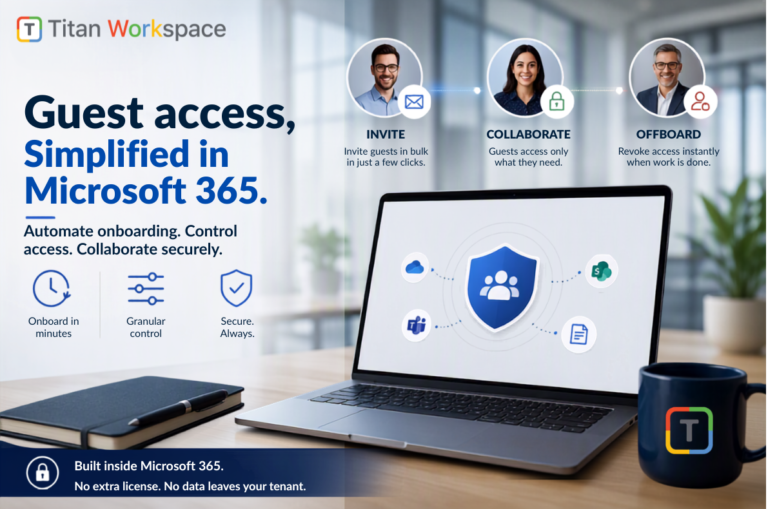
Instead, Titan Client and Guest Portal helps organisations bring structure to how external users are onboarded, what documents they can access, and how their access is managed throughout the relationship.
Consider the difference between managing external access manually and using a defined collaboration process.
| External collaboration requirement |
How it is addressed |
| Bringing clients and suppliers into the environment |
Titan Client and Guest Portal provides a structured onboarding process |
| Giving external users access to relevant documents |
Access can be managed around the documents intended for each external user |
| Understanding which guests have access |
A centralised portal-based process helps teams track external collaboration |
| Managing external access when projects end |
Guest access can be revoked through the portal’s offboarding process |
| Maintaining control over organisational data |
Titan operates within the organisation’s SharePoint environment |
The distinction is important.
Microsoft provides the security framework. Titan helps organisations put a repeatable external collaboration process around it.
The objective is to reduce manual administration, improve visibility and make external access easier to manage throughout the life of a business relationship.
Why organisations choose Titan for external collaboration
Many client portal solutions require organisations to move documents into another cloud environment, introduce another platform and manage another set of access arrangements.
Titan takes a different approach.
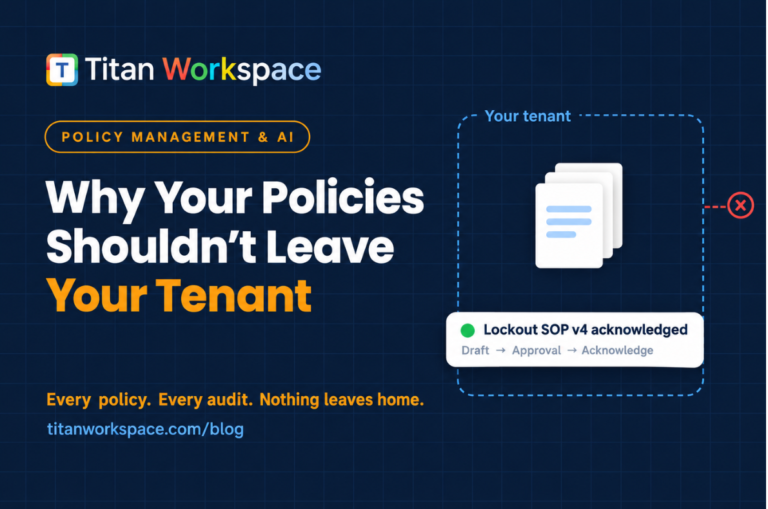
Your data stays within your Microsoft 365 environment.
Titan operates within your SharePoint environment, allowing organisations to maintain their existing approach to data storage, retention and Microsoft 365 governance.
External onboarding becomes more structured.
Instead of managing every external invitation and document-sharing request as an isolated activity, teams can follow a defined onboarding process with tracking and reminders.
Document access can be managed for each external relationship.
Clients and suppliers receive access to the documents intended for them, rather than being given unnecessary visibility into broader document libraries.
Offboarding becomes part of the collaboration process.
When a project or business relationship ends, teams can use the portal’s offboarding capabilities to revoke the relevant external access, subject to the permissions and access arrangements managed through Titan.
You can extend collaboration without introducing another document repository.
Because Titan works within SharePoint, organisations can provide a more structured external collaboration experience while keeping their documents within their existing Microsoft environment.
We describe this approach as built in, not bolted on.
It is the thinking behind our promise: the portal that never leaves home.
Frequently asked questions
Does Copilot give users access to files they could not previously open?
No. Microsoft Copilot respects existing permissions. It does not independently grant users access to files. The concern is that it makes information already accessible to a user easier to discover.
Does Restricted Content Discovery fix SharePoint oversharing?
No. Restricted Content Discovery limits selected content’s discoverability through organisation-wide search and Copilot experiences. It does not change existing permissions or prevent people who already have access from opening the content directly. Restricted Access Control is a different control: it can limit access to a site to members of designated security groups. Both controls have licensing and administrative prerequisites, so confirm eligibility in Microsoft’s current SharePoint Advanced Management guidance before implementation. Organisations should choose the control that matches the problem and still review and correct the underlying permissions.
Does this matter if we have not purchased Copilot licences?
It is still worth reviewing your SharePoint permissions and external access arrangements.
Establishing good governance before adopting Copilot can help organisations avoid a rushed permissions exercise when they decide to introduce AI-powered services.
How frequently should guest access be reviewed?
A quarterly review is a sensible starting point, alongside reviews whenever a project, contract or external business relationship ends. Organisations should also confirm how Entra B2B integration applies to their tenant and legacy sharing, and which guest lifecycle and expiry settings govern each scenario.
The appropriate frequency will depend on the sensitivity of the information and the organisation’s governance requirements.
Does Titan move our SharePoint data outside our tenant?
Titan is designed to operate within your SharePoint environment, keeping your documents within your existing Microsoft 365 environment rather than moving them into a separate document repository.
No. Microsoft continues to provide the underlying identity, security, compliance and information-protection controls. Titan complements these capabilities by helping organisations manage external collaboration and guest access through a structured portal.
Know who can access your files before AI makes them easier to find
Copilot readiness is not simply about purchasing licences or enabling new AI features.
It is also about understanding the information within your Microsoft 365 environment, reviewing existing permissions and ensuring external users have access only where there is a legitimate business requirement.
Clients, suppliers and partners are essential to how organisations operate. Managing their access should be just as structured as managing access for internal employees.
Titan Client and Guest Portal helps organisations bring that structure to external collaboration, within their existing SharePoint environment.
Want to see how it works?
Book a 30-minute walkthrough with Titan Workspace to explore how you can onboard external users, manage document-level collaboration and handle guest offboarding within SharePoint.
Book a demo with Titan Workspace.
Further reading
 Ashish Kamotra
November 17, 2026
13 min read