Onboarding 50 external clients used to take close to a week. On Titan Workspace, it takes about 20 minutes. Here’s what changed.
Native SharePoint can technically add a guest. But onboarding, tracking, reminding, and offboarding each one is a manual job that lands on your IT admin’s desk. Do that for 50 clients and you’ve built yourself a part-time job nobody asked for.
Titan removes that job entirely.
The Guest Access Problem Microsoft Never Solved
Microsoft 365 lets you invite external users as guests through Entra ID, no extra license required. That part works fine.
What Microsoft doesn’t give you is a system for managing guests at scale. Every invite is sent by hand. Every reminder to accept it is sent by hand. Every permission is set site by site, folder by folder. And when a project ends, nothing revokes access automatically, so old guests often stay in your tenant long after they should be gone.
For a company onboarding one or two external partners a year, this is a non issue. For a firm running client, vendor, and investor relationships at volume, it’s a silent drain on IT time and a compliance risk waiting to surface.
What Titan Actually Automates
Titan turns that manual process into one workflow, still running entirely inside your own Microsoft 365 tenant.
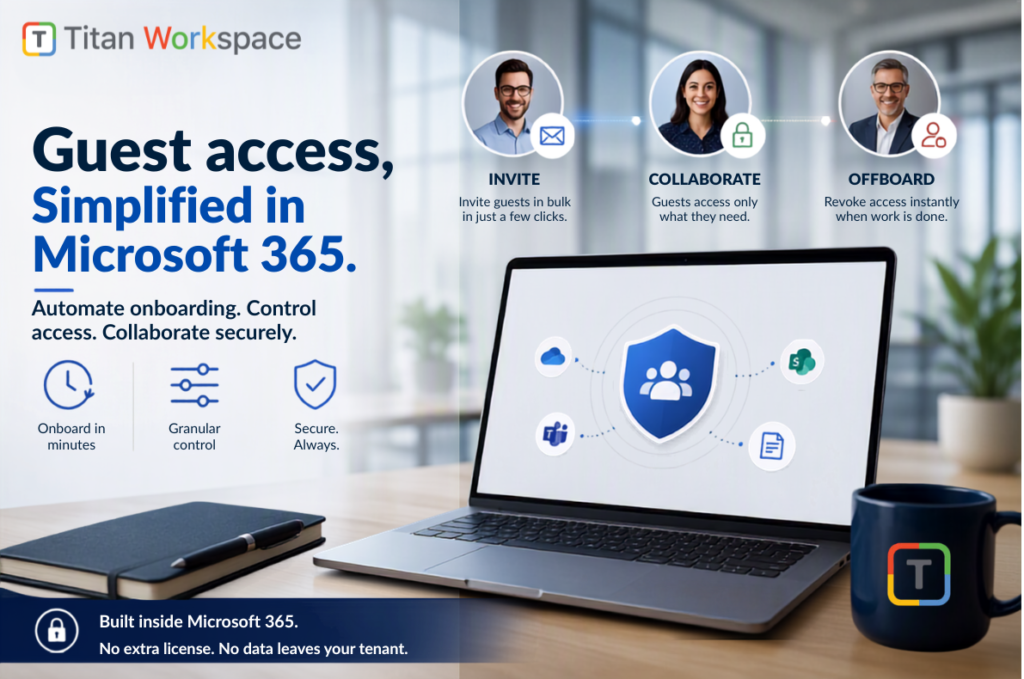
- Bulk provisioning. Set up guest accounts and branded portals for dozens of clients at once, not one invite at a time.
- Automatic tracking and reminders. See exactly who hasn’t accepted their invite, and Titan chases them for you.
- Granular, per-document control. Grant read, write, or approve rights at the site, folder, or single-file level for each guest.
- Clean, one-click offboarding. When a project wraps, revoke every permission for that guest in a single action. Nothing gets left open.
- CRM and ERP ready. Connect portal access directly to your CRM, billing, or Power Platform, no separate integration project required.
Guests still access everything through their own login, no Microsoft 365 license required, and every action stays inside your tenant’s audit trail.
The Numbers That Make the Case
Firms already running Titan report onboarding 50 external clients in about 20 minutes, a process that used to take close to a week. That’s happening on tenants running 5,000-plus internal and external users combined, at zero additional license cost per guest.
That’s not a marginal efficiency gain. That’s the difference between guest access being a bottleneck and it being a non-event.
Why This Isn’t Just “SharePoint With Extra Steps”
Dropbox, ShareFile, and Box solve external sharing by moving your files onto their cloud. You pay per external user, manage a second login system, and your data leaves your compliance team’s control.
Titan doesn’t ask you to make that trade. Guest lifecycle automation runs natively on the Microsoft 365 tenant you already have. No new vendor cloud, no separate audit trail, no per-guest bill.
Built in. Not bolted on. That’s the whole difference. Competitors either replicate SharePoint’s sharing features on their own servers, or leave the guest lifecycle exactly as manual as Microsoft ships it. Titan is the layer that automates it, inside your tenant, on top of what you already own.
FAQ
Do guest users need a paid Microsoft 365 license with Titan? No. Guests access their portal without consuming a paid seat, same as native Microsoft 365 guest access, just automated end to end.
Can we brand the guest portal? Yes. Every portal carries your logo and identity, so external users see your brand, not a third-party tool.
Does this work for vendors, investors, and contractors, or just clients? All of the above. Titan Workspace supports dedicated portal types for vendors, customers, contractors, investors, and even frontline or student access, each with its own permission set.
Want to see what onboarding 50 guests in 20 minutes actually looks like on your own tenant? Book a personalized demo with Titan Workspace.
 Deepali Kamotra
September 16, 2026
4 min read
Deepali Kamotra
September 16, 2026
4 min read