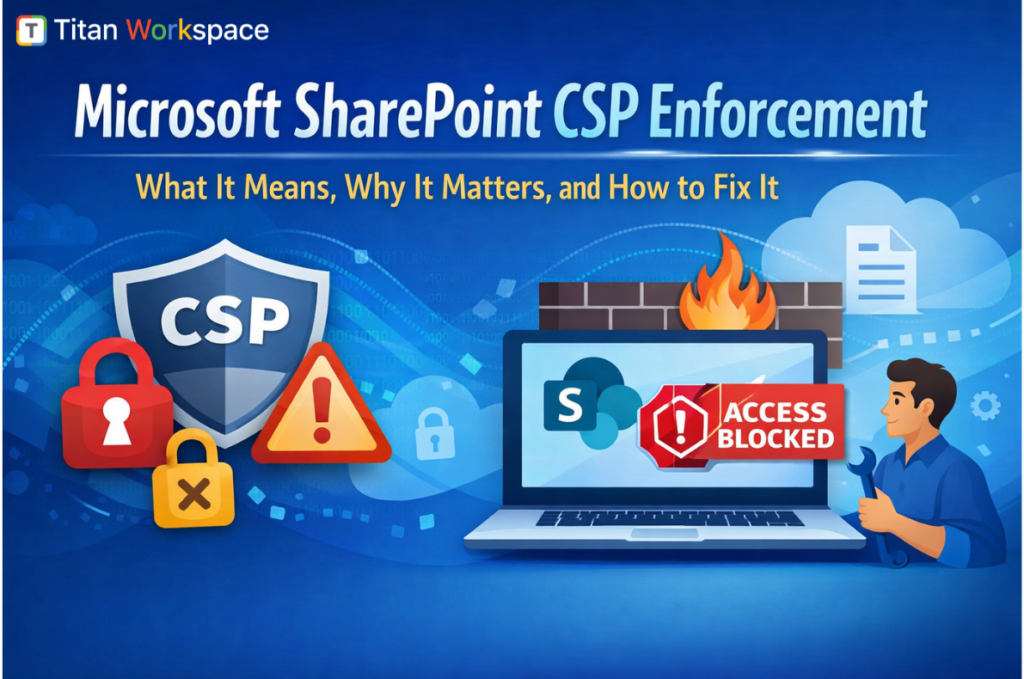
Microsoft SharePoint CSP Enforcement: What It Means, Why It Matters, and How to Fix It
What is SharePoint CSP enforcement?
SharePoint Content Security Policy (CSP) enforcement is a Microsoft security update that restricts how scripts run in SharePoint Online. It blocks inline scripts, limits external script sources, and requires developers to use secure, packaged SPFx solutions. This improves security but can break existing customizations that rely on legacy scripting methods.
Microsoft’s enforcement of Content Security Policy (CSP) in SharePoint Online marks one of the most significant changes to the platform in recent years.
While the intent is clear for stronger security, the impact is immediate and, in many cases, disruptive. Organizations using Custom SPFx solutions, Inline JavaScript, External CDN-based scripts, Legacy SharePoint customizations are already experiencing broken functionality or are at high risk of disruption.
This blog breaks down the situation from both a business and technical perspective, helping you understand not just what’s happening but how to respond strategically.
What is the Problem? (And Why It’s Urgent)
CSP enforcement changes how SharePoint executes scripts.
Before CSP:
After CSP Enforcement:
Immediate Impact
Organizations are seeing:
This is not a gradual change. This can cause instant production issues once enforcement is active.
Why Microsoft Enforced CSP (Strategic View for CIOs & IT Leaders)
This move aligns with Microsoft’s long-term enterprise security roadmap.
1. Elimination of XSS and Script Injection Risks
CSP blocks unauthorized scripts, preventing one of the most common attack vectors in enterprise applications.
2. Transition to Secure Development Standards
Microsoft is forcing a shift from Quick, flexible scripting to Structured, governed development.
3. Zero Trust Implementation
No script is trusted by default. Everything must be explicitly allowed.
4. Enterprise Compliance Readiness
CSP helps organizations meet Security audit requirements, Data protection standards and Governance policies.
Bottom line for leadership:
This is not optional—it’s a permanent shift toward secure architecture.
Real Customer Scenarios (What We Are Seeing on Ground)
Scenario 1: CDN Dependency Breakdown
A customer relied on external JS libraries hosted on public CDNs. After CSP enforcement entire dashboard stopped working.
Scenario 2: Inline Script-Based Forms
Custom forms using inline JavaScript failed completely because CSP blocks inline execution.
Scenario 3: SPFx with External References
SPFx solutions referencing external scripts dynamically are partially loaded or broke unpredictably.
Scenario 4: “One Dynamic System for Everything”
Clients trying to build highly dynamic, metadata-driven systems with runtime script execution are facing major limitations under CSP.
Short-Term Fixes (Immediate Stabilization Plan)
If your environment is already impacted, focus on damage control first.
Step 1: Identify Violations
Step 2: Temporarily Delay Enforcement
Use PowerShell: This gives up to 90 days but not a permanent solution
Set-SPOTenant -DelayContentSecurityPolicyEnforcement $true
Step 3: Whitelist Trusted Sources
Step 4: Remove Inline Scripts
Convert:
Step 5: Test in Controlled Mode
Use: ?csp=enforce
This helps identify issues before full rollout
Long-Term Fix Strategy (Where Most Organizations Fail)
Short-term fixes only delay the problem. Sustainable success requires architectural change.
1. Move to Fully Packaged SPFx Solutions
2. Eliminate Uncontrolled External Dependencies
3. Refactor Legacy Customizations
This is the biggest effort area. You must convert following into structured, typeScript-based solutions
4. Adopt Secure Development Standards
5. Rethink Solution Design
Old mindset: “One system that dynamically handles everything”
New approach: Modular workflows, Controlled configurations, Predictable execution
Common Mistakes to Avoid
Business Impact: Beyond IT
This change directly affects employee productivity, Business workflows and Customer-facing portals. Organizations that delay action risk Sudden outages, Escalating support costs and Loss of stakeholder confidence
Strategic Advantage: Early Movers Win
Organizations that act now gain Stronger security posture, Stable predictable systems, Reduced long-term costs, Better scalability.
Our Point of View: From Risk to Opportunity
Most organizations see CSP enforcement as a disruption. We see it as a turning point for modernization. This is the right time to Clean legacy technical debt, Standardize SharePoint development and build scalable enterprise platforms.
How We Help
We work with organizations to ensure a zero-disruption transition.
Our Approach:
This ensures No surprises during enforcement, fully compliant solutions and Future-ready SharePoint ecosystem. If your SharePoint environment includes Custom SPFx solutions, External integrations or Legacy scripting, You should act immediately.
We offer a CSP Readiness Assessment to Identify risks, estimate remediation effort, Provide a clear execution roadmap.
Contact us today to secure your SharePoint environment before enforcement impacts your business.
Final Thoughts
Microsoft’s CSP enforcement is not just a technical update, it’s a fundamental shift in how SharePoint solutions must be built.
Organizations that React late will face disruption. You must act early and gain competitive advantage. The choice is simple.
FAQs: SharePoint CSP Enforcement (SEO Optimized)
1. What is Content Security Policy (CSP) in SharePoint Online?
Content Security Policy (CSP) in SharePoint Online is a security framework introduced by Microsoft to control how scripts and resources are loaded and executed. It restricts inline scripts, blocks untrusted external sources, and ensures that only approved scripts run within SharePoint environments. This helps prevent vulnerabilities like cross-site scripting (XSS) and improves overall security posture.
2. Why is SharePoint CSP enforcement breaking existing custom solutions?
SharePoint CSP enforcement is breaking existing solutions because many legacy implementations rely on inline JavaScript, external CDNs, and dynamic script injection—all of which are restricted under CSP. When enforcement is enabled, these scripts are blocked by the browser, causing web parts, dashboards, and integrations to stop functioning.
3. How can I fix CSP issues in SharePoint quickly?
To fix CSP issues in SharePoint quickly:
These steps help restore functionality while planning long-term fixes.
4. How do I check if my SharePoint environment is affected by CSP enforcement?
You can check CSP impact by:
You can also test proactively by appending ?csp=enforce to your SharePoint URL to simulate enforcement behaviour.
5. What is the best long-term solution for SharePoint CSP compliance?
The best long-term solution includes:
This ensures compatibility with CSP and improves scalability and security.
6. Can SharePoint CSP enforcement be delayed or disabled?
SharePoint CSP enforcement cannot be permanently disabled, but Microsoft allows a temporary delay (up to 90 days) using PowerShell. This delay provides time to fix non-compliant solutions, but organizations must eventually align with CSP requirements as it becomes a mandatory security standard.
The Most User Friendly Document Management System and Workflow Automation for Microsoft 365 by Titan Workspace.
Most policy tools ask you to copy your policies out of SharePoint before they can manage them. Here’s…

Onboarding 50 external clients used to take close to a week. On Titan Workspace, it takes about 20…

Ask a plant manager or quality lead where their documents actually live, and you rarely get a clean…