A practical guide to policy libraries, revision control, approvals and employee acknowledgement with a closer look at how Titan Workspace supports the lifecycle inside Microsoft 365.

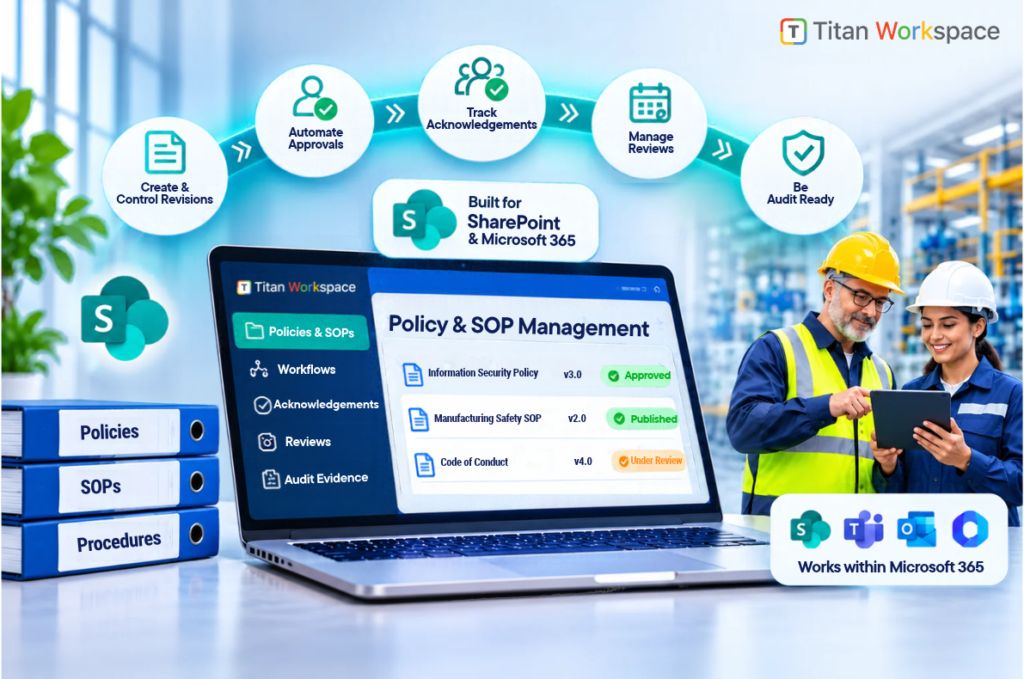
A controlled policy lifecycle connects documents, people, approvals and evidence.
SharePoint Policy Management: From Document Chaos to Complete Control
A company updates its Information Security Policy. The IT team revises the document, compliance reviews the changes, management approves it, and the new version is uploaded to SharePoint.
The document is ready. But is the policy process complete?
Has the previous revision been formally superseded? Is the new effective date recorded? Have employees been directed to the updated policy? Can the policy owner identify who still needs to acknowledge it? And when the next review is due, will someone remember to act?
Managing policies in SharePoint involves more than uploading documents. Organisations need a consistent way to control revisions, manage approvals, distribute policies and track employee acknowledgements.
SharePoint provides the foundation: libraries, permissions, metadata and file version history. The challenge is connecting those capabilities into a working policy lifecycle. This article explains how to structure that process and how Titan Workspace adds policy, SOP and audit workflows to the Microsoft 365 environment an organisation already uses.
1. Set up a policy library people can trust
Start with a dedicated SharePoint site or a governed library within an existing compliance, quality or operations site. Aim for one authoritative location for current approved policies. Use metadata and filtered views rather than creating duplicate departmental copies.
| Metadata field |
Example |
Why it matters |
| Policy ID |
POL-IT-001 |
Stable identifier across revisions |
| Policy title |
Information Security Policy |
Consistent naming and search |
| Document type |
Policy / SOP / Work Instruction |
Separates controlled document types |
| Department / owner |
IT / Head of IT |
Makes accountability visible |
| Status |
Draft / In Review / Approved / Retired |
Separates working from released content |
| Policy revision |
3.0 |
Formal business revision |
| Approval / effective date |
15 Dec 2026 / 01 Jan 2027 |
Shows authorization and applicability |
| Next review date |
01 Jan 2028 |
Supports review planning |
Create views such as Current Approved Policies, My Policies, In Approval and Reviews Due Soon. Make essential metadata mandatory where appropriate, and restrict editing of released documents to authorized roles.
Titan Workspace builds on this foundation with a structured document workspace, metadata-driven organisation and role-based access within Microsoft 365. This helps teams apply consistent document structures and governance without forcing employees to navigate a maze of folders. Explore Titan’s document management capabilities.
2. File version history is not the same as policy revision control
This distinction matters whenever an organisation needs to prove which approved policy applied at a particular time. SharePoint version history records changes to a file. Formal policy revision control records approved releases of the policy. They are related, but they answer different questions.
File version history tracks edits. Policy revision control identifies the formally approved release.
SharePoint file version history
SharePoint version history can retain earlier file versions and show who changed a document and when, depending on the library’s configuration. It is useful for collaboration, recovery and understanding editing activity. A draft may be saved many times as wording, formatting and reviewer comments change.
A policy revision is a controlled release that has completed the organisation’s review and approval process. It should have a revision identifier, approval record, effective date, owner and status. It answers: which approved revision applied on a given date, who authorized it, and which revision did it replace?
| Record |
Example |
Question answered |
| File version |
SharePoint version 14.0 |
What edits were saved to this file? |
| Policy revision |
Policy revision 3.0 |
Which formal release is this? |
| Approval record |
Approved by CISO on 15 Dec |
Who authorized the release? |
| Effective date |
01 Jan 2027 |
When did it begin to apply? |
| Superseded revision |
Revision 2.0 |
Which release did it replace? |
A draft of policy revision 3.0 may pass through many SharePoint file versions while reviewers edit it. Those saves do not automatically create new policy revisions. The organisation should assign revision 3.0 only after the final content completes the required approvals and is authorized for release.
Titan Workspace supports controlled document processes around the file: approval decisions, change history, publishing and audit evidence. This helps connect the working document to the governance actions that matter. The organisation should define its formal revision-numbering convention and effective-date rules, then apply them consistently through the configured process.
Consider a company updating its Information Security Policy from revision 2.0 to 3.0. The changes cover remote-access requirements, multi-factor authentication and incident-reporting responsibilities.
| Stage |
What happens |
How Titan Workspace helps |
| Draft |
Owner updates the document in SharePoint |
Keep the controlled document in the Microsoft 365 environment and maintain its metadata and ownership. |
| Review |
IT Security, Compliance and Legal review the changes |
Route the document through defined review and approval stages. |
| Approve |
Authorized managers sign off the final text |
Use configured multi-step approvals with recorded decisions and notifications. |
| Release |
Revision 3.0 is approved and receives an effective date |
Publish the approved document through a controlled process and retain prior releases as records. |
| Monitor |
Owner and compliance team track its status |
Use workflow reminders and visibility into items awaiting action or review. |
For example, revision 2.0 was effective from 1 January 2026. Revision 3.0 is approved on 15 December 2026 and becomes effective on 1 January 2027. The previous approved revision remains available as a record but is no longer presented as the current policy.
Titan Workspace provides configurable multi-step approval workflows, routing, reminders and escalations. Its workflow automation is built on Power Automate and is configured through a no-code interface, reducing the need for policy teams to independently develop and maintain custom flows. This means a policy owner can work within a governed process while IT retains oversight of the Microsoft 365 environment.
4. Make employee acknowledgement part of the SOP process
Policy acknowledgement is not just an HR formality. In manufacturing, a revised procedure can change how a person performs a safety-critical task. The organisation needs to know which affected people were asked to read the current revision and who has completed the acknowledgement.
Imagine a manufacturing site updating its Machine Guarding and Safe Operation SOP. The revised procedure changes pre-start inspection and isolation steps for a production line.
A controlled SOP process connects approval with the people who need to follow the procedure.
The EHS team approves the revised SOP with the plant manager. The procedure is assigned to the relevant operators, maintenance technicians and supervisors. Each person is asked to read and acknowledge the current revision. The supervisor can see which acknowledgements are complete and which remain outstanding.
Titan Workspace provides read-and-acknowledge tracking and attestation reporting for policies and SOPs. Its manufacturing solution describes records at the individual and document-revision level, reminders and compliance dashboards showing document and sign-off status. This gives compliance teams a way to monitor acknowledgement against the controlled document, rather than relying on a separate spreadsheet and manual follow-ups. Learn more about Titan for manufacturing document and SOP management.
An acknowledgement confirms that the person completed the acknowledgement action; it does not by itself prove competency. If the SOP requires demonstrated skill, pair the acknowledgement with training, observation or a competency assessment.
5. Keep reviews, reminders and audit evidence connected
Every policy or SOP needs a named owner, a review frequency appropriate to its risk and obligations, and a way to record the outcome. A review date alone is not a control if nobody is responsible for acting on it.
| Review state |
Expected action |
How Titan supports the process |
| Upcoming |
Notify the owner before the due date |
Scheduled reminders and workflow notifications |
| Due / overdue |
Show the owner and compliance lead what needs attention |
Visibility into review status and escalation rules |
| Revision required |
Start a new controlled review and approval cycle |
Route the revised document through configured workflows |
| Review complete |
Record the outcome and next review date |
Maintain lifecycle information alongside the controlled document |
For an audit, teams may need to retrieve the approved document, its revision and effective date, approval history, review outcome and where required employee acknowledgement evidence. SharePoint file history is useful, but it is not by itself a complete policy audit record.
Titan Workspace provides document-level audit trails and one-click audit evidence for its policy and SOP management processes. Combined with acknowledgement and review visibility, this helps compliance teams work from connected document and workflow evidence instead of assembling every element manually from libraries, emails and spreadsheets.
6. SharePoint alone, custom workflows or Titan Workspace?
SharePoint may be sufficient for a small policy set with straightforward approvals and limited acknowledgement requirements. A custom SharePoint and Power Automate implementation can extend it, but the organisation must design, test, document and maintain that solution. Titan Workspace adds structured document control, policy and SOP workflows, automation and audit visibility within the customer’s Microsoft 365 environment.
| Requirement |
SharePoint foundation |
Custom DIY build |
SharePoint + Titan Workspace |
| Policy library and metadata |
Available; needs design |
Configured by your team |
Structured workspace and metadata controls |
| Multi-step approvals |
Requires configuration |
Build and maintain flows |
Configurable no-code approval workflows |
| Controlled publishing |
Needs a defined process |
Can be customised |
Controlled policy/SOP publishing process |
| Acknowledgement tracking |
No dedicated policy attestation workflow out of the box |
Build with lists, forms and flows |
Read-and-acknowledge tracking and attestation reporting |
| Review reminders |
Can be configured |
Build and maintain flows |
Reminders, escalations and status visibility |
| Audit evidence |
May require manual collation |
Custom reporting |
Document-level audit trails and evidence packages |
| Document location |
SharePoint tenant |
SharePoint tenant |
Titan runs within the customer’s Microsoft 365 tenant |
The choice is not whether SharePoint is capable. It is whether the organisation wants to assemble and maintain each governance component itself or use a platform designed to connect them. Titan’s wider Microsoft 365 platform also includes document management, workflow automation and secure client portals, so policy governance can sit alongside other controlled-document and collaboration processes.
Want to see the policy lifecycle in action? Bring one policy or SOP, its approval route and an acknowledgement requirement. See how Titan Workspace can manage the process within your Microsoft 365 environment.
7. Policy management in a government Microsoft 365 environment
Palm Beach County, Florida is a public-sector customer using Titan Workspace for policy management in a Microsoft 365 GCC environment. Titan’s government solution supports policy lifecycle management—from draft, review and approval through publication and attestation—within the customer’s existing tenant.
For public-sector organisations, this tenant-native approach is important: policy and SOP workflows can be added without introducing a separate external cloud for document storage. Read more about Titan’s government and public-sector solution
8. Is a dedicated SharePoint policy management solution right for you?
A well-structured SharePoint library may be enough if you have few policies, a simple approval route and limited evidence requirements. Consider SharePoint policy management software when:
- Policies pass through several approvers or conditional approval routes.
- You need to know who acknowledged a particular policy or SOP revision.
- Owners need a central view of upcoming and overdue reviews.
- Compliance teams rely on spreadsheets and inboxes to assemble evidence.
- Custom Power Automate flows have become difficult to maintain.
- You want policy, SOP and audit processes to work within Microsoft 365 rather than in a disconnected system.
Titan Workspace is designed for organisations that want to extend Microsoft 365 with structured document management, policy and SOP lifecycle workflows, read-and-acknowledge tracking and audit evidence—while keeping documents in their own tenant. The best way to assess fit is to walk through one real document from draft to audit evidence.
Frequently asked questions
Can I manage policies in SharePoint?
Yes. SharePoint provides libraries, metadata, permissions and file version history. Organisations must define and configure the lifecycle for review, approval, release, acknowledgement and audit evidence.
What is the difference between SharePoint version history and policy revision control?
Version history records saved file changes. Policy revision control identifies formally approved releases, with a revision identifier, approval record and effective date.
How can I track employee policy acknowledgement?
SharePoint does not provide a dedicated policy attestation workflow out of the box. Titan Workspace provides read-and-acknowledge tracking and attestation reporting for policies and SOPs.
Does Titan Workspace store policies in a separate cloud?
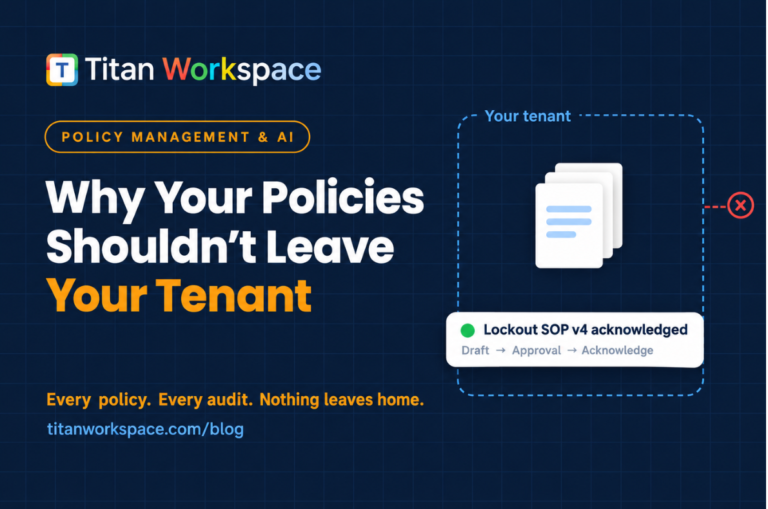
No. Titan Workspace runs within the customer’s Microsoft 365 tenant. Documents, metadata and workflow records remain within the customer’s Microsoft 365 environment.
Take control of your policy and SOP lifecycle
A policy is not controlled simply because it has been uploaded. It is controlled when the organisation knows who owns it, which revision is approved, when it applies, who must acknowledge it and when it needs to be reviewed again.
SharePoint provides the foundation. Titan Workspace adds the structured workflows, acknowledgement tracking, review visibility and audit evidence that help organisations manage that lifecycle as part of Microsoft 365.
See how Titan Workspace can support your policy and SOP processes. Book a Policy & Compliance demo
 Deepali Kamotra
November 26, 2026
11 min read